
As 2025 draws to a close, many of us are looking back at what we’ve achieved this year and how we got there together. End-of-year meetings are a perfect moment to do exactly that.
If you’re a leader, one of your biggest responsibilities is to build a high-performing team based on trust, good morale and a sense of “we’ve got each other’s backs.” For many teams, this is a quieter period when people are naturally winding down, a great time to run activities you don’t always have space for during a busy quarter.
And if the end of the year is your peak season? Giving your team just one intentional hour to slow down, celebrate and connect can be a powerful way to recharge and say “I see your effort.”
In this article, you’ll find 10 simple but impactful activities you can run in your end-of-year meeting to:
- Foster appreciation in your team
- Visualize highlights of the year
- Connect and get to know each other
Each activity comes with tips on how to organize it, how to facilitate it and what meeting size it works best for.
Foster appreciation in your team
At the end of the year, there’s almost nothing more meaningful you can do than give people space to appreciate each other. Gratitude builds connection and trust – and it’s surprisingly easy to make it part of your agenda.
1. Run a ‘Thank you’ session
Dedicate the first (or last) 15–20 minutes of your meeting to peer-to-peer appreciation.
How to organize it:
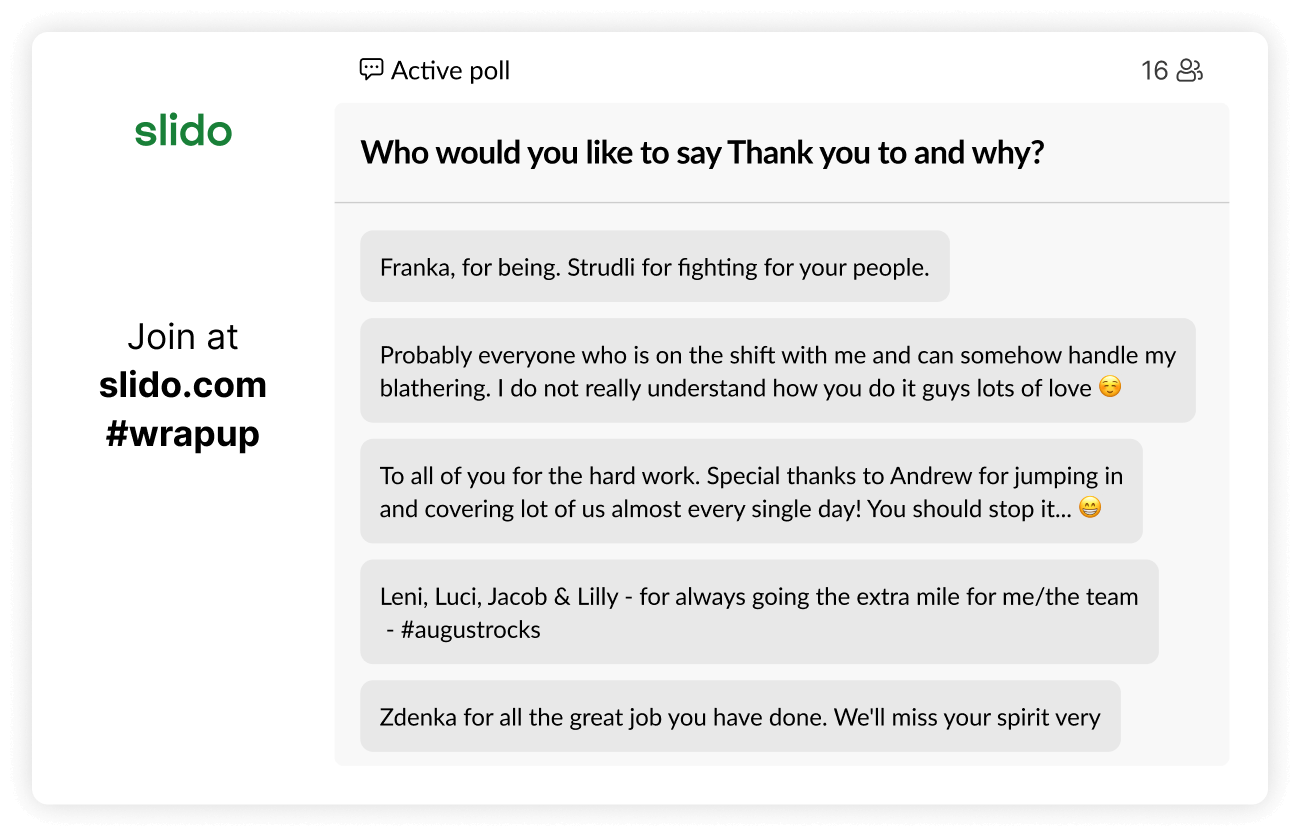
Before or at the start of the meeting, ask people to think of the colleagues who helped them the most this year. Run a Slido open text poll with a question such as:
“Who from the team would you like to say thank you to, and why?”
As our colleague, Dodo Dolinka, says:
“We often underestimate the power of looking back and acknowledging good stuff we achieved. We aren’t paying enough attention to creating an atmosphere of gratitude in our team. We’re overlooking people and their efforts or taking them for granted. This exercise is an eye-opener.”
How to facilitate it:
Encourage people to think of times when someone supported them, unburdened them or made their work easier, and ask them to capture that in a sentence or two. Give people 2–3 minutes to type their messages into Slido. Share the screen with Slido present mode so everyone can see the messages as they come in.
Read some of the entries out loud and briefly comment on or highlight specific behaviors and moments (“I love how this shows collaboration across teams,” etc.).
After the meeting:
Export the poll and share the messages with the team, either in a follow-up email, Slack channel, or as a PDF wall of appreciation. It’s something that brightens up a tough day for sure.
Ideal meeting size:
Works for any size, but feels most intimate in small to medium-sized meetings (up to ~30 people).
Read also: The Complete Guide to Using and Facilitating Live Polls
2. Warm hearts with a gratitude wall
This is a lighter, more high-level version of the previous activity. Instead of thanking specific people, you’ll surface the things your team is most grateful for – at work or in their personal lives.
How to organize it:
At the start of the meeting, invite everyone to take a few seconds and think about what they’re most grateful for this year. Run a Slido word cloud poll or open text poll with a question like:
“What are you most grateful for in your life right now?”
If you’re using a word cloud, ask people to submit one or two-word answers. If it’s an open text poll, answers can be longer.
How to facilitate it:
Display Slido on the screen. Don’t stay too silent as the entries appear, but rather comment on them: “I see ‘health’ is popping up a lot…”. It’s much more engaging when the poll results are turned into a conversation. Invite a few volunteers to share why they submitted their word – this makes the moment more personal and grounded.
Ideal meeting size:
Perfect for large meetings, all-hands and town halls, where a quick visual snapshot works better than long messages.
3. Celebrate your ‘silent heroes’
Every team has people who go above and beyond without asking for recognition. This activity (which is a Slido favorite) helps you surface those “silent heroes” and give them a public shout-out.
How to organize it:
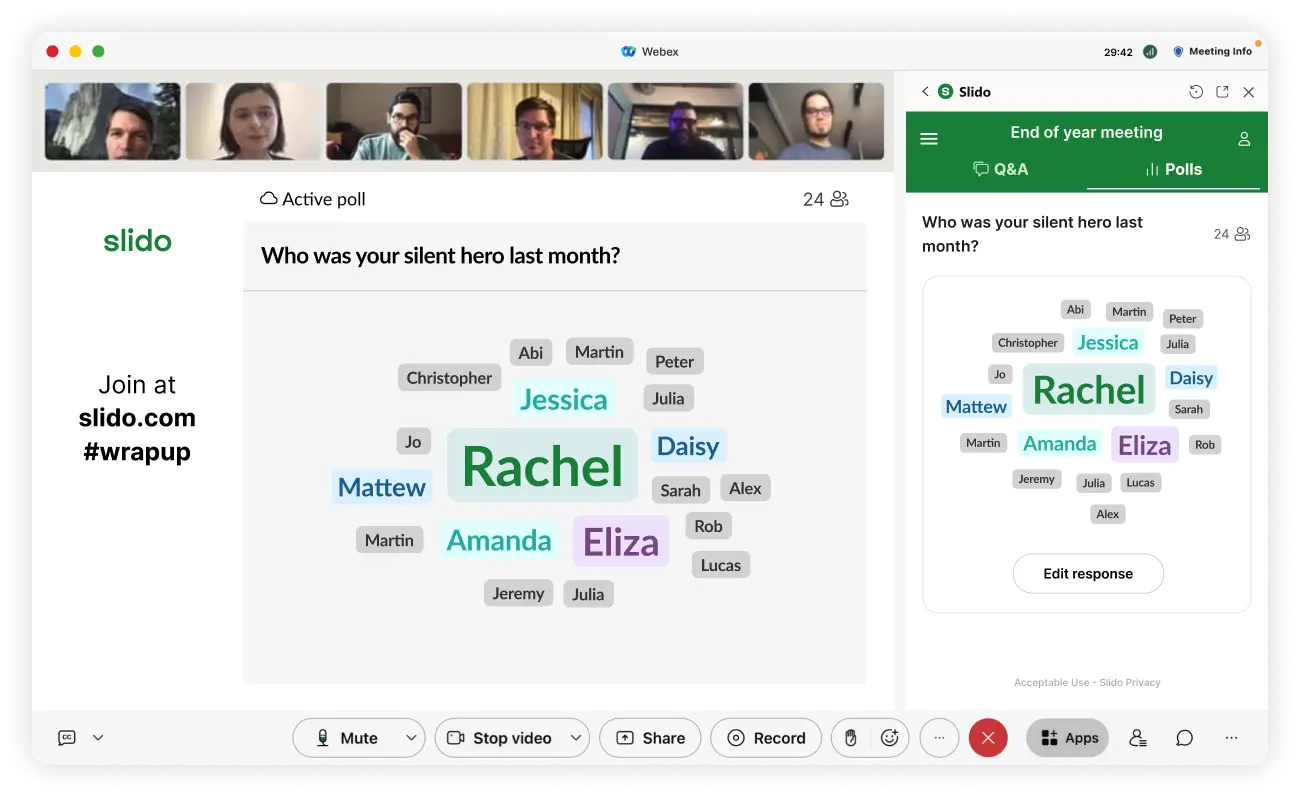
Run a Slido word cloud with a question such as:
“Who was your silent hero in 2025?”
or
“Who from the team was an unsung hero for you this year?”
Ask everyone to submit the name of one colleague they’d like to nominate. Optionally, combine the word cloud with an open text poll where people can add a short message to their hero: “Why are they your silent hero?”
How to facilitate it:
Show the word cloud on the screen and watch the names appear and grow. Comment on the recurring names and invite a few people to briefly share a story behind their nomination. If you collected open-text messages, read a few of them out loud (with people’s consent if needed).
After the meeting:
You can download the list of heroes and their messages and send them as a “Heroes of 2025” recap, or surprise people individually with their nominations.
Ideal meeting size:
Word clouds scale well so work in any team size, from small scale to company-wide meetings.
Visualize highlights of the year
The end of the year is a perfect time to look back at what you’ve achieved together in numbers, milestones and personal wins. These activities help you create a shared sense of accomplishment, pride and perspective.
4. Crowdsource the year’s highlights
Instead of leaders presenting a curated list of achievements from the stage, flip the perspective and ask people what felt meaningful to them – both in their professional or personal lives.
How to organize it:
Run a Slido open text poll with a question, for example:
“What was your biggest personal or professional highlight this year?”
or
“What do you consider the greatest achievement of our team in 2025?”
How to facilitate it:
Give people a few minutes to think and write. Once the responses start coming in, read a selection out loud and give people a shout-out.
Ask 2–3 volunteers to share a bit more about their highlight, why it mattered and what they learned. Try to balance individual wins (important life events, promotions) with work-related milestones.
After the meeting:
Turn the collected highlights into a simple “Highlights of 2025” document or slide you can share afterwards or reuse it in your first all-hands meeting in January.
Ideal meeting size:
Any. Works across team meetings, department meetings and all-hands. However, the smaller the meeting size, the more personal you can be.
5. Review the year’s numbers in a quiz
Instead of walking through slide after slide of KPIs or OKRs, give your year-in-numbers a different spin and turn it into a fun trivia quiz.
How to organize it:
Prepare a short slide deck with key moments from the year: big deals, launches, NPS scores, number of new hires, etc. In Slido, create a quiz with questions about these highlights, for example:
“By how much did our website traffic grow year over year?”
or
“How many key deals did the sales team close in Q3?”
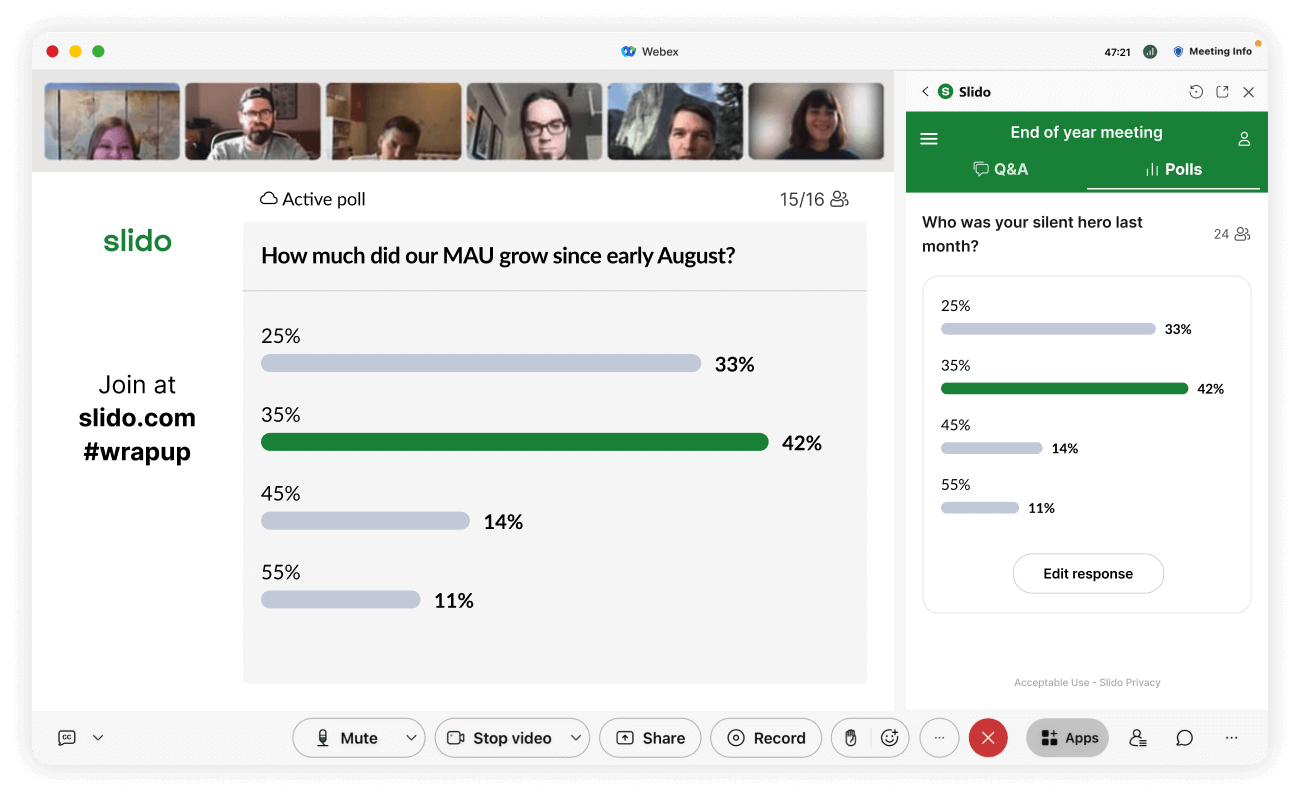
Integrate Slido into your presentation tool so the quiz flows smoothly alongside your slides. Add a small prize for the winners (gift card, company swag, choosing the next team activity, …), it’s a great motivator.
How to facilitate it:
Alternate between telling a short story and asking a quiz question about it. Show a slide with a key moment, ask a quiz question, reveal the correct answer and add context. Keep the tone light, celebratory and inclusive; make sure you cover highlights from different teams so everyone feels represented.
Comment on answers and celebrate surprising facts (“I love that so many of you guessed this correctly – it shows how close you are to our numbers.”).
Ideal meeting size:
Great for medium to large teams, departments or all-company meetings like all-hands and town halls. The more people, the more energy.
Connect and get to know each other
End-of-year meetings are also a great “excuse” to simply have fun together. These activities double as quick team-building games you can run even with hybrid or globally distributed teams.
Our favorites? Quizzes you can easily pull off in Slido.
6. Host a team trivia quiz
Zoom in on your people. Every team has its own inside jokes, legends and quirks. Use them as material for a quiz.
How to organize it:
Before the meeting, collect fun facts and stories about people in your team. For example:
“Who likes to sleep 12 hours straight?”
“Who speaks four languages?”
“Who has a dog called Dixie?”
Create a Slido quiz with multiple-choice questions based on these facts. Keep it inclusive and light-hearted and avoid anything that might embarrass people.
How to facilitate it:
Run the quiz as a dedicated 15–20 minute block or as a fun “half-time break” in a longer meeting. After revealing each correct answer, invite the person to briefly tell the story behind it and celebrate the winner(s).
Ideal meeting size:
Best for small to medium-sized teams or departments (up to ~30 people), where colleagues already know each other a bit. For larger groups or whole-company use, turn this into a company trivia / company knowledge quiz instead.
7. “Two truths and one lie”
A classic that works especially well for teams with newer joiners.
How to organize it:
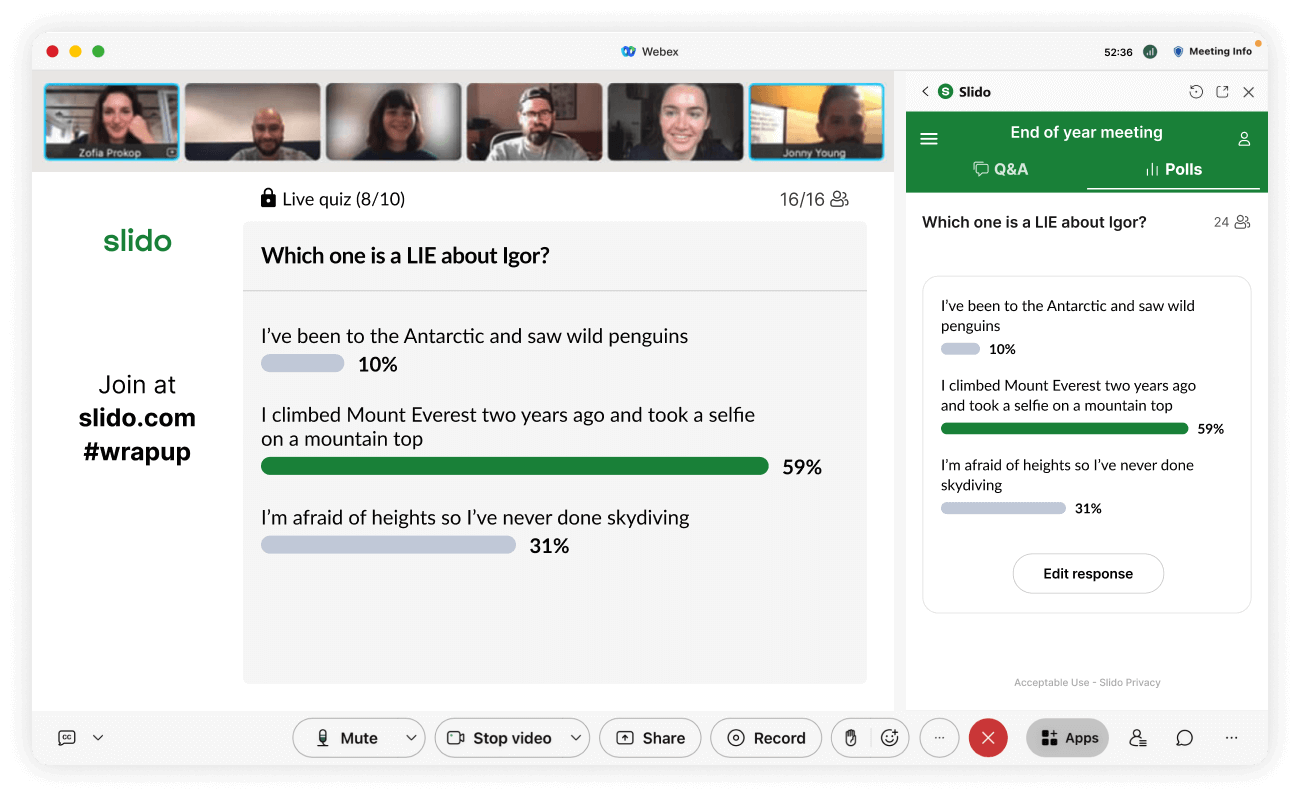
Ask each person to send you three statements about themselves in advance. Two true, one false. Build a Slido quiz where each question is:
“Which one is a LIE about {Name}?”
Add the three statements as answer options.
How to facilitate it:
Run the quiz at the beginning of your end-of-year meeting as an icebreaker or during a special team-building session. After each question, ask the person to reveal the lie and share a short anecdote about the true statements. Keep the pace brisk; This game works best when it’s snappy.
Ideal meeting size:
Great for small to medium teams (around 5–20 people).
8. “Whose desk is this?”
Perfect for remote or hybrid teams who rarely see each other’s workspaces.
How to organize it:
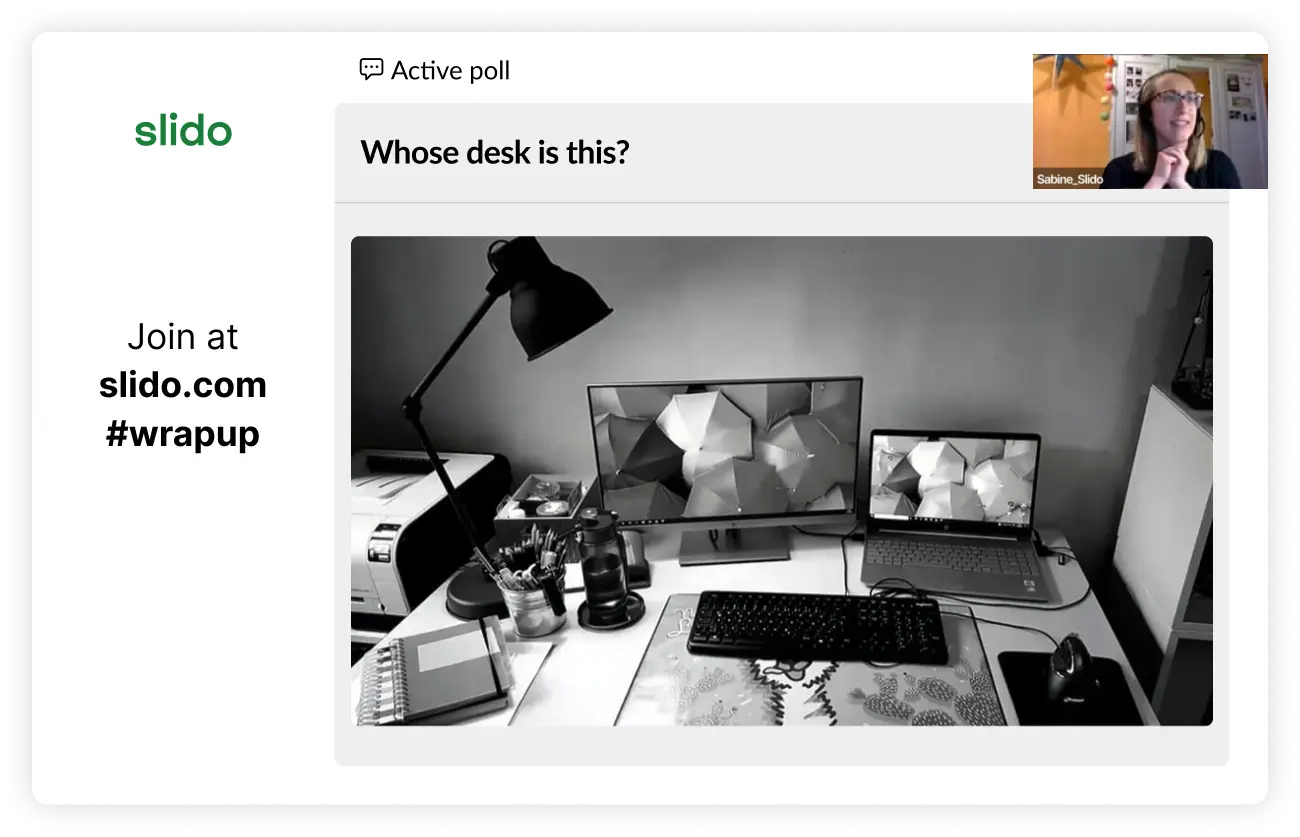
Ask teammates to send a photo of their desk or workspace in advance. Create a quiz or a series of multiple-choice polls in Slido. Show one desk photo per question. Offer 3–4 names as options to:
“Whose desk is this?” (+ picture)
How to facilitate it:
Share your screen and go through the photos one by one. After revealing the owner of each desk, give them a moment to comment on their setup. (“Yes, there are always at least three coffee mugs. I’m working on my coffee addiction.”) Keep in mind to keep the tone playful, never judgmental.
Ideal meeting size:
Works best for small to medium-sized meetings (5–20 people), where people are comfortable sharing a bit of their space.
9. “Guess who?” with childhood photos
Nostalgic, often hilarious and a great way to see a different side of your teammates.
How to organize it:
Ask colleagues to send you a childhood photo of themselves before the meeting. Create a slideshow or upload each photo directly into a Slido quiz question. For each picture, either use multiple choice (“Who is this?” with several names), or make it harder with a word cloud or open text poll and let people type their guesses.
How to facilitate it:
Go through the photos one by one and let people vote. After revealing who’s in the photo, invite them to share a short memory or a bit of context (“This was my first day of school,” etc.). Be mindful of colleagues who may not feel comfortable sharing childhood photos. Make participation optional or give people a different option, e.g. to share their pet photo or similar.
Ideal meeting size:
Best for smaller teams or meetings (around 10–20 people), where there’s trust and camaraderie.
10. Run a “Winter holidays of the world” quiz
Not everyone celebrates Christmas and even those who do, celebrate it differently. This quiz is a fun way to bring cultural diversity into your end-of-year meeting.
How to organize it:
Create a Slido quiz with trivia questions about winter holidays and traditions around the world: Hanukkah, Diwali (when it falls later in the year), Kwanzaa, Yule, New Year traditions, regional customs, food, music – you name it.
Make sure the questions reflect different cultures represented in your team; invite colleagues to contribute ideas. Prepare a small prize for the top scorer.
💡 Tip: You can also use a holiday quiz template from the Slido templates library and customize it to your team.
How to facilitate it:
Run the quiz as a main activity in your end-of-year celebration or as a short fun segment at the beginning or at the end. After each question, briefly explain the tradition and invite people who celebrate it to add their perspective.
Ideal meeting size:
Works for any group size, from small team gatherings to large all-hands.
Read also: Step by Step Guide for Hosting a Great Online Quiz & 7 Awesome Quizzes for Your Virtual and Hybrid Meetings
The 1 thing to avoid in your end-of-year meeting
There’s one common trap we recommend skipping: Don’t open big, strategic topics.
End-of-year meetings are not the best place for heavy strategic debates, major brainstorms or complex decision-making. People are usually tired after a long year and mentally getting ready to switch off for the holidays.
Instead of unveiling a brand-new strategy, running deep problem-solving workshops or trying to “fix” everything before December 31, use this time to celebrate, appreciate and connect.
Save your big strategic sessions, kick-offs and heavy retrospectives for January, when people come back rested and with more cognitive bandwidth. You’ll get much better ideas – and much more honest input.
Over to you
You don’t need a huge budget or a full-day offsite to make your end-of-year meeting special. With just one or two of these activities, you can help people feel seen, appreciated and remind your team of everything they’ve achieved together.
So pick an idea from each category, plug it into your next agenda and see how it changes the energy in the (virtual) room. And if you’d like to try any of these activities with Slido, you can set most of them up in just a few clicks.
If you’re using Webex – this has never been easier. Click on the little Slido icon under ‘Apps’ and start creating interactions with your colleagues with Slido in Webex.
You can also integrate Slido directly into your Google Slides presentation, PowerPoint presentation or use it within your Microsoft Teams.
Happy Holidays! 🎄